
Free Perchance AI Image Editor — Transform Any Photo with No Login.
Turn rough photos into polished commercial visuals. Remove backgrounds, erase unwanted clutter, enhance details to 4K, and relight product packshots in seconds.
Real-time AI Image Transformation Showcase
Drag the interactive slider to compare original source images with AI-enhanced and prompt-guided editing outputs.
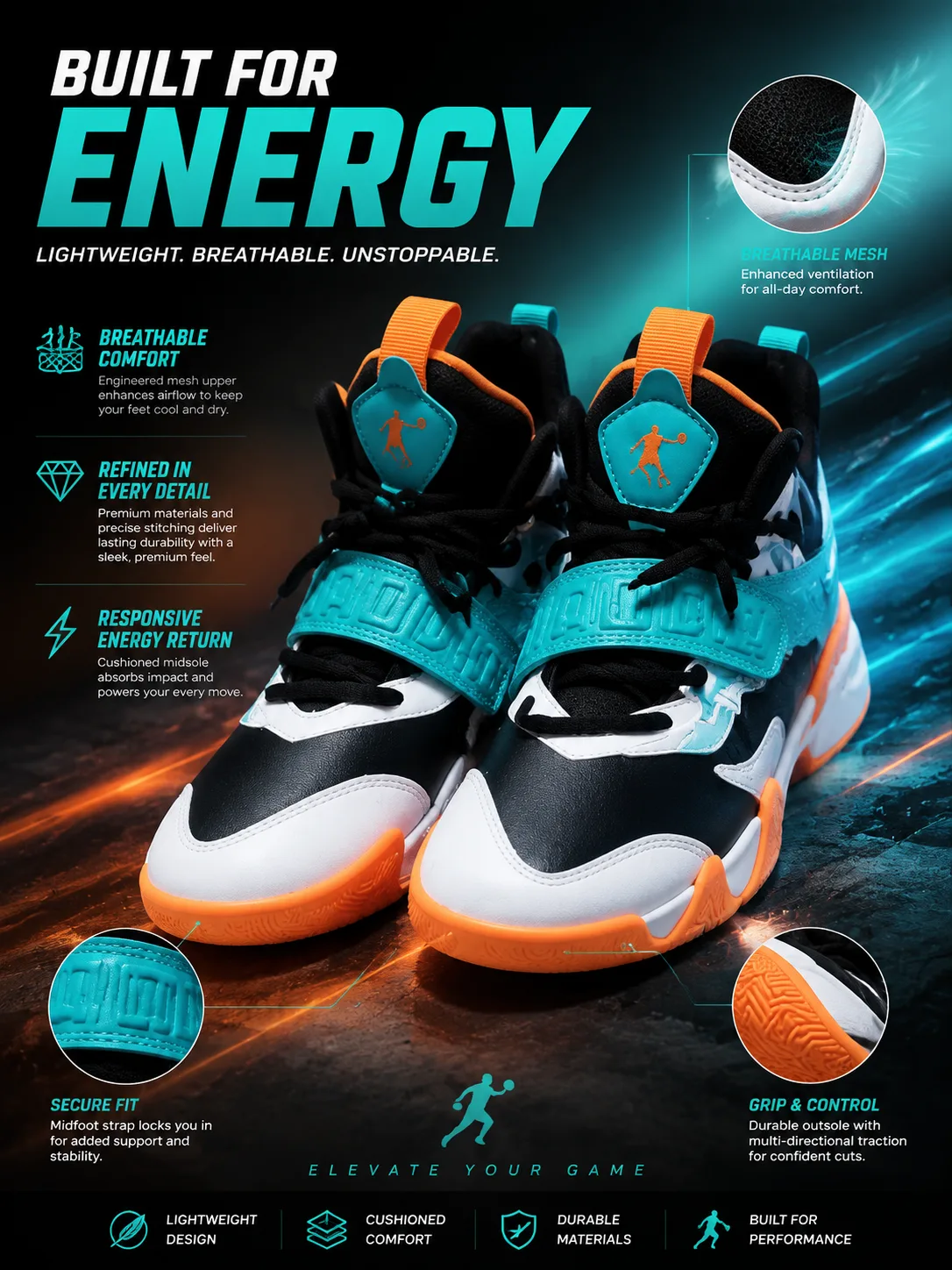
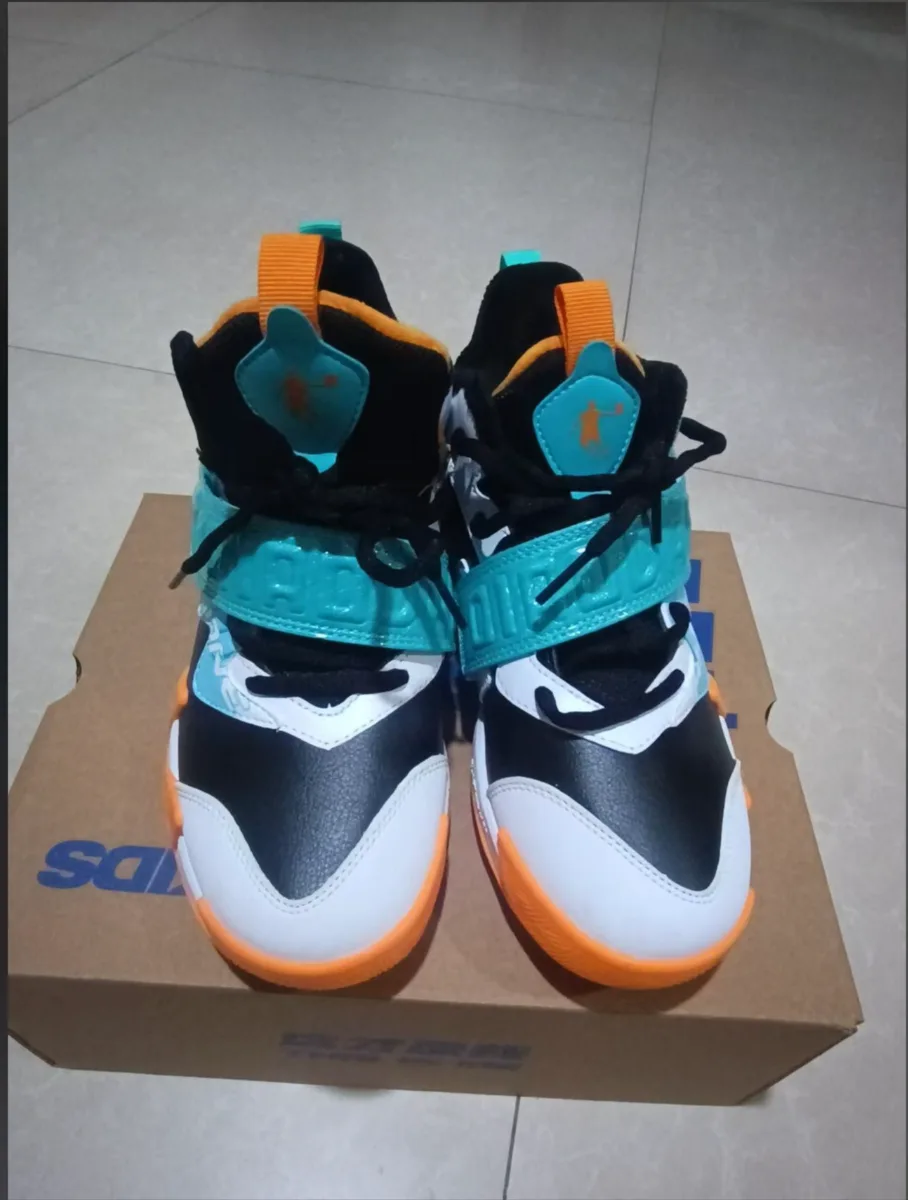
Sneaker Campaign Poster
Transforming clean footwear studio photo into high-energy commercial marketing key visual with motion lighting.
Precision Tools for Demanding Workflows
From single-click background removal to generative inpainting and lighting reconstruction.
Hair-Level Background Removal
Isolate portraits and products with clean sub-pixel alpha edges and export transparent PNGs instantly.
Generative Magic Eraser
Brush over photobombers, power lines, or blemishes to seamlessly replace them with context-aware AI pixels.
AI Relighting & Scene Generation
Place studio packshots into photorealistic 3D environments with matched ambient light and reflections.
4K Super-Resolution Upscaler
Restore micro-textures, sharpen soft edges, and upscale low-res graphics up to 4x resolution.
Speed, Privacy, and Uncompromising Quality
Designed for demanding visual workflows without friction.
100% Free & No Account Needed
Start editing immediately. No hidden paywalls, subscription traps, or registration popups.
Client-Side Privacy for Local Utilities
Resizing, compression, and format conversions happen locally on your device without leaving your browser.
No Watermarks on Output
Export all edited images in clean high-resolution PNG, JPG, or WebP without intrusive branding stamps.
Batch Processing Ready
Process multiple product photos or assets simultaneously to save hours of manual Photoshop labor.
Frequently Asked Questions
Learn more about supported formats, privacy, and output resolutions.